Everything happening in your community, in one place.
A neighbourhood, a village, the clubs around a school, a federation with local branches — wherever several organisations each do their own thing side by side, OurCommunity gives them one shared directory and one shared calendar, in the languages the place actually speaks. Every group can look after its own entry, or the administrator takes that on.
What you get
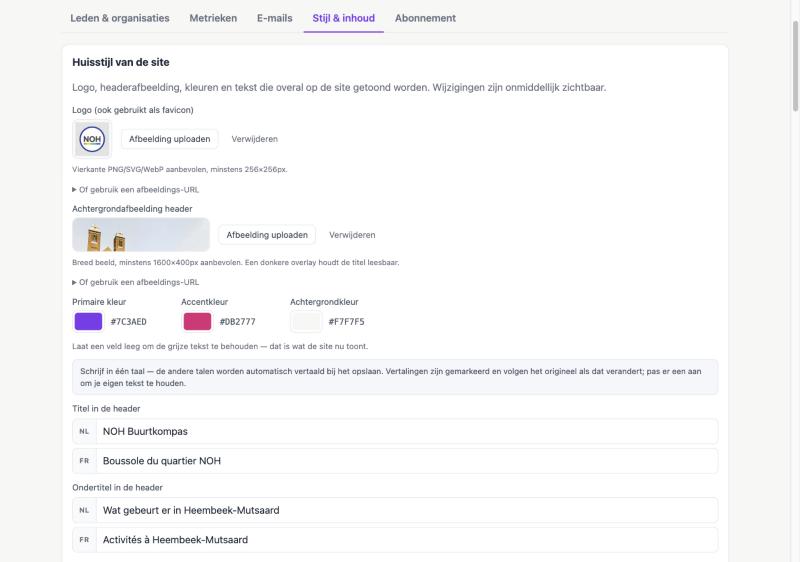
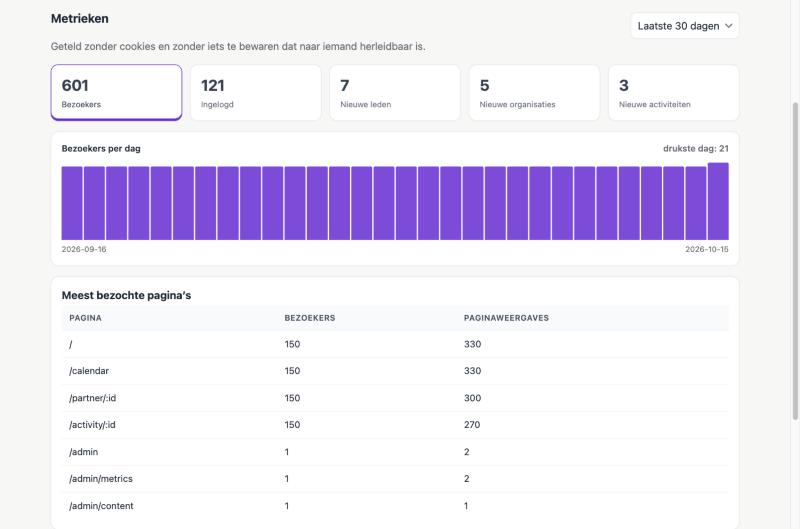
These are real pages from a community that uses it: Neder-Over-Heembeek in Brussels, with its own name, colours and header photo. Nothing here is a mock-up.
The organisations
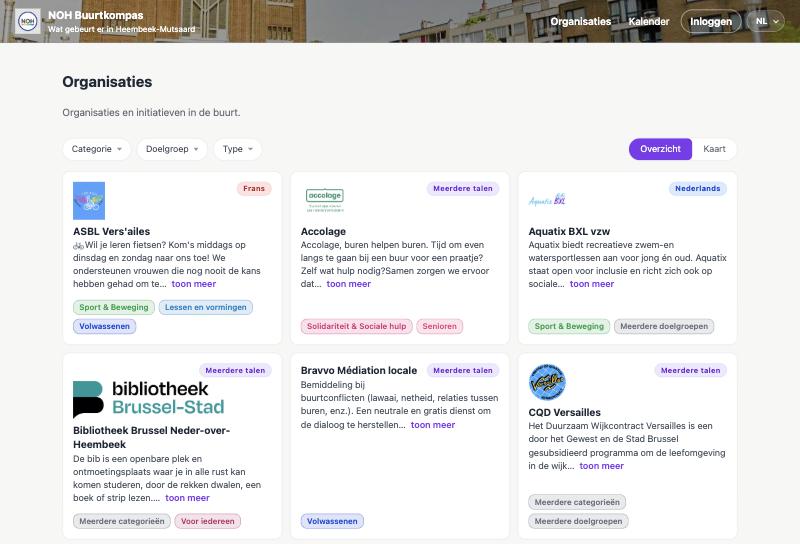
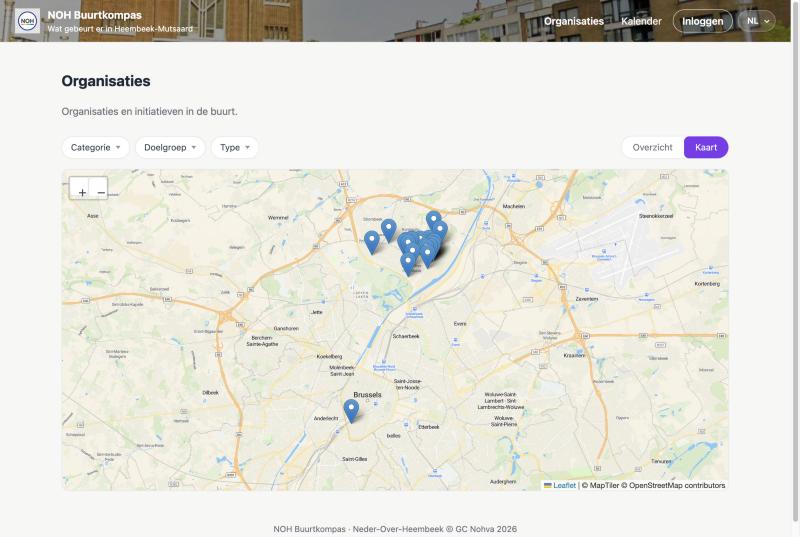
Every group gets a page: what they do, how to reach them, where to find them — as a list you can filter by what kind of group it is and who it is for, or on a map for anyone who would rather see where things are. Whoever adds an organisation looks after it from then on, and posts its activities themselves. You approve the ones that are new.
The calendar and the mail
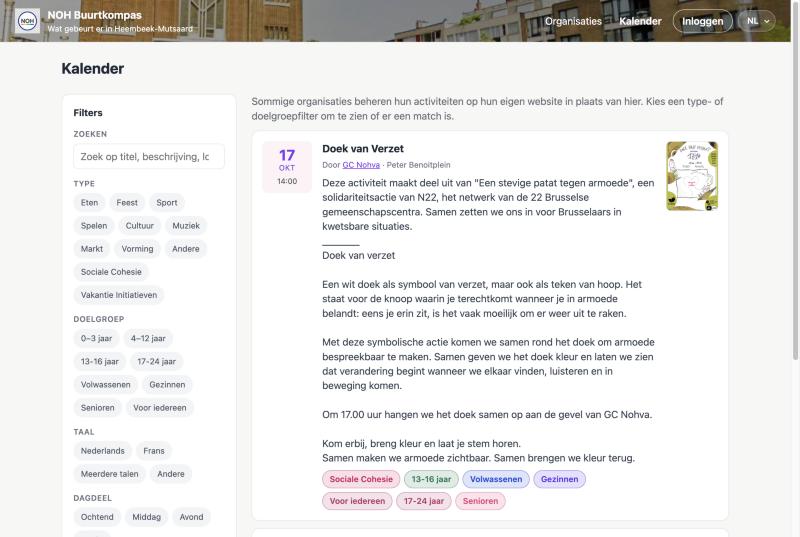
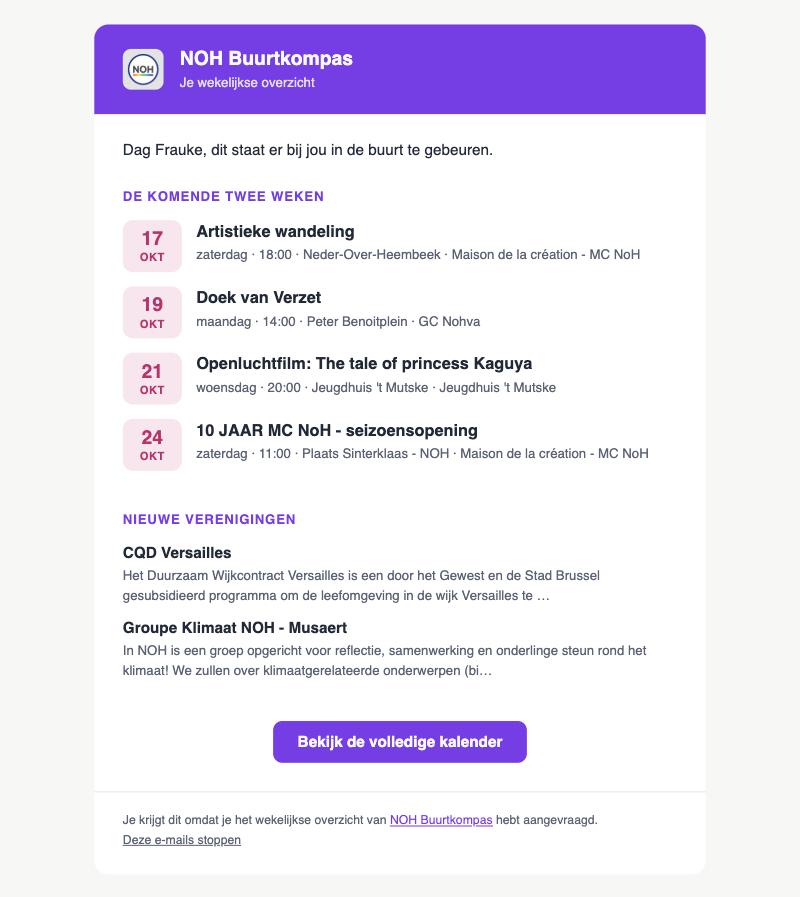
Everything coming up in one calendar, with filters for what it is, who it is for and the language it is in. A group that would rather keep its agenda on its own website says so once and appears in the directory without filling anything in twice. And whoever wants it gets a Sunday email with what is on the calendar for the fortnight ahead — in their own language, narrowed to what they care about, with a way out in every message.
Running it
You have the last word: an administrator can edit or hide any page and any activity. Write in one language and the rest are translated, marked as machine translations so anyone can improve them. Give the site your own name, colours, logo and web address, and see how many people come by — counted without cookies and without keeping anything that leads back to a person. And everything in it comes back out with one button, as a single file to keep or take elsewhere.
How it works
Create the community
about 2 minutes
Pick a name and a web address. You're the first administrator.
Set it up
about 20 minutes
A checklist takes you through the look, the languages, and the kinds of activity you want to list.
Invite the groups
about 10 minutes, then it is theirs
They add their own page and post what they organise. You approve the ones that are new.
Share the address
about 5 minutes
Put it on a poster, in your newsletter and in the groups where the people you are doing this for already are. Anyone who wants it can sign up there for the Sunday email.
What it costs
Fourteen days free, and no card to start — you are asked when you decide to stay. VAT included, whichever you pick.
If you stop paying, the site stays readable for its visitors — what stops is adding to it. And you can delete your community, with everything in it, yourself at any point.
Start a community
It takes a minute. You can delete it again just as quickly.
- For a neighbourhood, a village, a town, or a shared interest
- Nothing is filled in for you; a checklist helps you set it up
- Add the languages your community actually speaks
- Delete it yourself, whenever you want